Submit Work to Magazines
Submit your poetry, stories, essays, and visual arts to digital magazines. Track your submission status live with the MagPublish dashboard.
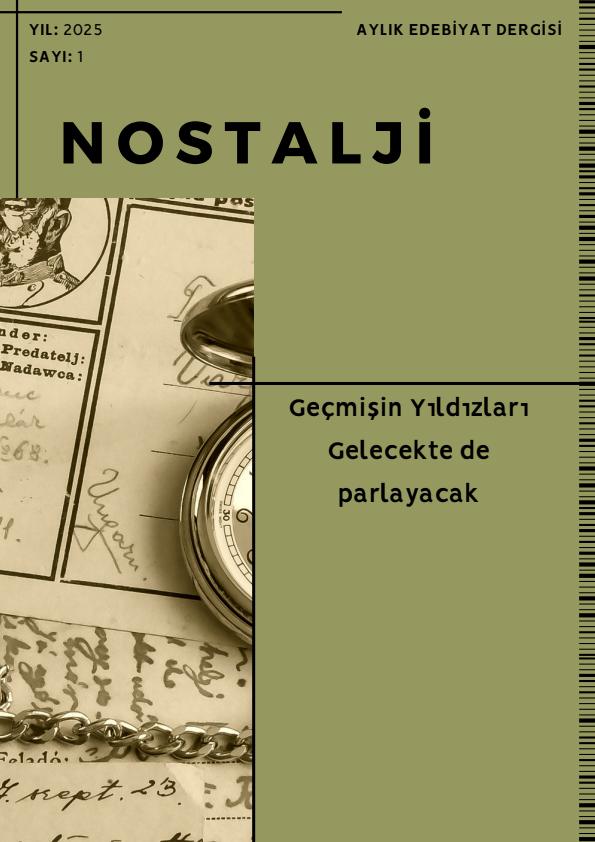
Nostalji
Edebiyatın ışık olması için çalışan dergimizın amacı; gelecekteki edebiyatseverlere, edebiyatın köklerinden gelen, üzeri belki toz tutmuş belki de unutulmuş şair ve romancılarımızı tekrar patlatarak sunmaktır. Sloganımız da söylediğimiz gibi, Geçmişte ki yıldızlar gelecekte de parlayacak. Edebiyat Nostalji ile hatırlanacak ve Nostalji dergiyle sizlere dokunacak. Her ay farklı bir yıldız ışığı ile dergimize konuk Olacak. Siz edebiyat severler okurken de keyifle Nostalji yaşayacak.
To submit work directly to the magazine below, you need to use the MagPublish mobile app.
Guide on How to Submit Writing, Poetry & Stories to Magazines
If you want to share your literary and creative work with large audiences and are wondering 'how to publish my poetry' or 'how to submit writing to a digital magazine', MagPublish provides you with a professional gateway. Submissions and writing applications are entirely free and managed digitally.
Submit Writing to Digital Magazines
Dozens of active e-magazines on MagPublish accept new applications from writers and illustrators. Use our portal to send your stories, articles, essays, and creative writing directly to editorial boards.
Publish My Poetry & Submit Poems
We make it simple for poets to submit poetry online. Select your favorite literary magazine, upload your poems via the mobile dashboard, and get published in the upcoming issue.
Magazines Accepting Submissions
Submit your short stories, flash fiction, essays, drawings, and photographs. Track review stages (Reviewing, Scheduled, Published) dynamically and start your professional writing career.
لماذا يجب استخدام التطبيق؟
لربط أعمالك بحسابك الشخصي ومتابعة حالة النشر والتحكيم مباشرة.
Profile & Author Sync
Syncs your submissions automatically with your user profile. When published, your work appears directly under your author name on the magazine page.
Easy & Fast Upload
Quickly upload Word (.docx), PDF documents, or high-res drawings and photographs (JPEG, PNG) directly from your device file manager.
Status Tracking & Notifications
Track every step instantly, such as when your work is being reviewed, scheduled for publication, or published, via push notifications.
How to Submit Work to Magazines?
4 simple steps to follow to get your work successfully published.
Prepare Your Work
Prepare your text (Word/PDF) or visual work (PNG/JPEG) on your computer or phone in accordance with the guidelines.
Download MagPublish App
Download the MagPublish mobile app for free from the App Store or Google Play Store and create your account.
Upload & Fill Info
Open the Submission Portal in the app, select your target magazine, add your work's type and title, and upload your file.
Editorial Review & Publish
The magazine's editors will review your work within 7 days. Approved works are published in the targeted magazine within 60 days.
Magazines You Can Submit Work To
Select a magazine to view submission details and instructions.
3 معايير أساسية للقبول
The basic technical and content standards you must follow for your work to quickly pass through the editorial review.
1. Text & Content Standards
All literary and research texts are expected to be fluent, original, and compliant with grammar rules.
- File Format: Only Word (.docx) or rich text format (.rtf)
- Font Choice: Standard readable fonts (Arial or Times New Roman, 12pt)
- Author Info: Full name and contact info must be written at the very beginning of the text
- Plagiarism Check: Copied texts or those generated by Artificial Intelligence (AI) will be rejected directly
2. Visual & Illustration Selection
Illustrations and artistic drawings are key elements that enhance the visual quality of our digital publications.
- Resolution: Clear and smooth
- File Format: PNG (for transparent backgrounds) or high-quality JPEG
- Copyright: Works must belong entirely to you and be free of unlicensed elements
- Color Space: Saved in RGB color mode for optimal screen display quality
3. Photography Standards
Your original photographs are used by graphic designers in harmony with the page layouts.
- Clarity: High-resolution photos, in-focus, and without noise or grain
- Editing: No extreme contrast or heavy artificial filters should be applied
- Ownership: Permission must have been obtained from any subjects in the photo
- Size: Original shots of at least 2000px wide are preferred
أقسام تقديم الأعمال
Review the standards under which you should prepare your literary, artistic, or research works.
Poetry
Definition
An artistic expression woven with the harmonious combination of emotions, images, sounds, and words.
How to Prepare
Poems can be written in free verse or traditional meter; literary depth and original imagery are highly valued.
Important Details
Be sure to give your poem an appropriate title. Do not alter the left alignment on Word (designers will arrange it during layout). The work must not have been previously published in any physical book or magazine.
Prose Poetry
Definition
A literary genre that conveys poetic imagery and emotional intensity in a prose format without being bound by meter or rhyme.
How to Prepare
It should be written with the fluidity of prose but incorporate poetic features, metaphors, and internal rhythms.
Important Details
Use punctuation marks consciously and correctly according to your poetic rhythm.
Important Editorial Rules
Make sure to proofread all your submissions to eliminate spelling and grammar errors.
Design and layout processes are fully managed by our professional graphic designers; you do not need to do extra page formatting.
AI-generated text or plagiarized work will be filtered out automatically and not saved in the system.
Submitted works will be published in the most appropriate issue after receiving editorial approval.
Frequently Asked Questions
Things you might want to know about the submission process.